Know What's in the Book
Before They Read It
Shelf Checkout iPhone app scans any book and gives you a detailed content profile across 25 categories, so you can make confident reading decisions for your family.
📱 Have an iPhone? Help test the beta!
🆕 Recent Updates
February 2026
Smarter AI
Upgraded to Claude 3.5 Sonnet for more nuanced, accurate content analysis.
Search & Sort
Find books in your library fast with search. Sort by recent or A-Z.
History Tab
Every book you view is auto-saved. Revisit past lookups anytime.
Sticky Buttons
Approve/Review/Reject buttons stay pinned while you scroll content.
The Vision
Shelf Checkout isn't trying to replace other review sites, it's meant to complement them. Common Sense Media, Plugged In, and BookLooks etc. do great work on popular titles. But no single source covers everything, and none of them let you define what "appropriate" means for your family.
Our goal is to make content-aware reading decisions fast, personalized, and backed by multiple sources. The AI doesn't cast any judgment, it describes what's present. Your filters decide whether that's a green light or a red flag.
Why Shelf Checkout?
Your kid comes home from the library with a stack of books. The covers look fine. The summaries seem harmless. But buried in chapter 12 is content you wish you'd known about before they started reading.
Common Sense Media covers a lot of ground, but what about the random paperback from the school book fair? Or book 8 in a series where the tone shifts? It also only offers high level filters. We end up on community boards or one off book reviews, or just reading the book ourselves.
Shelf Checkout fixes this. Scan the barcode, get a detailed content breakdown across 25 categories, and see a personalized verdict for each reader in your family, based on your values and comfort levels, not someone else's.
How It Works
Three steps from barcode to verdict.
Scan or Search
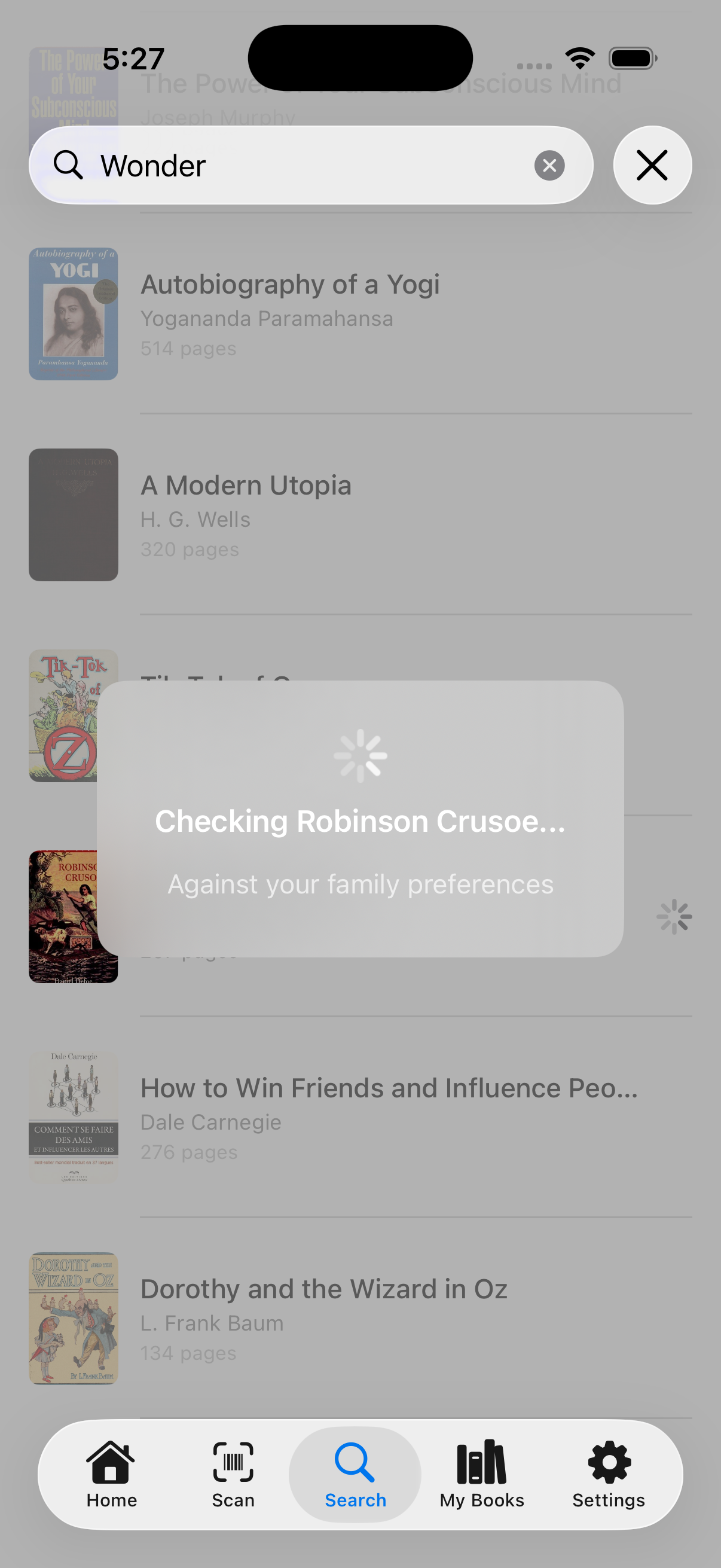
Point your camera at any book barcode, or search by title. Shelf Checkout identifies the book and starts checking it against your family's preferences.
The initial analysis takes just a few seconds.
Two-Phase Analysis
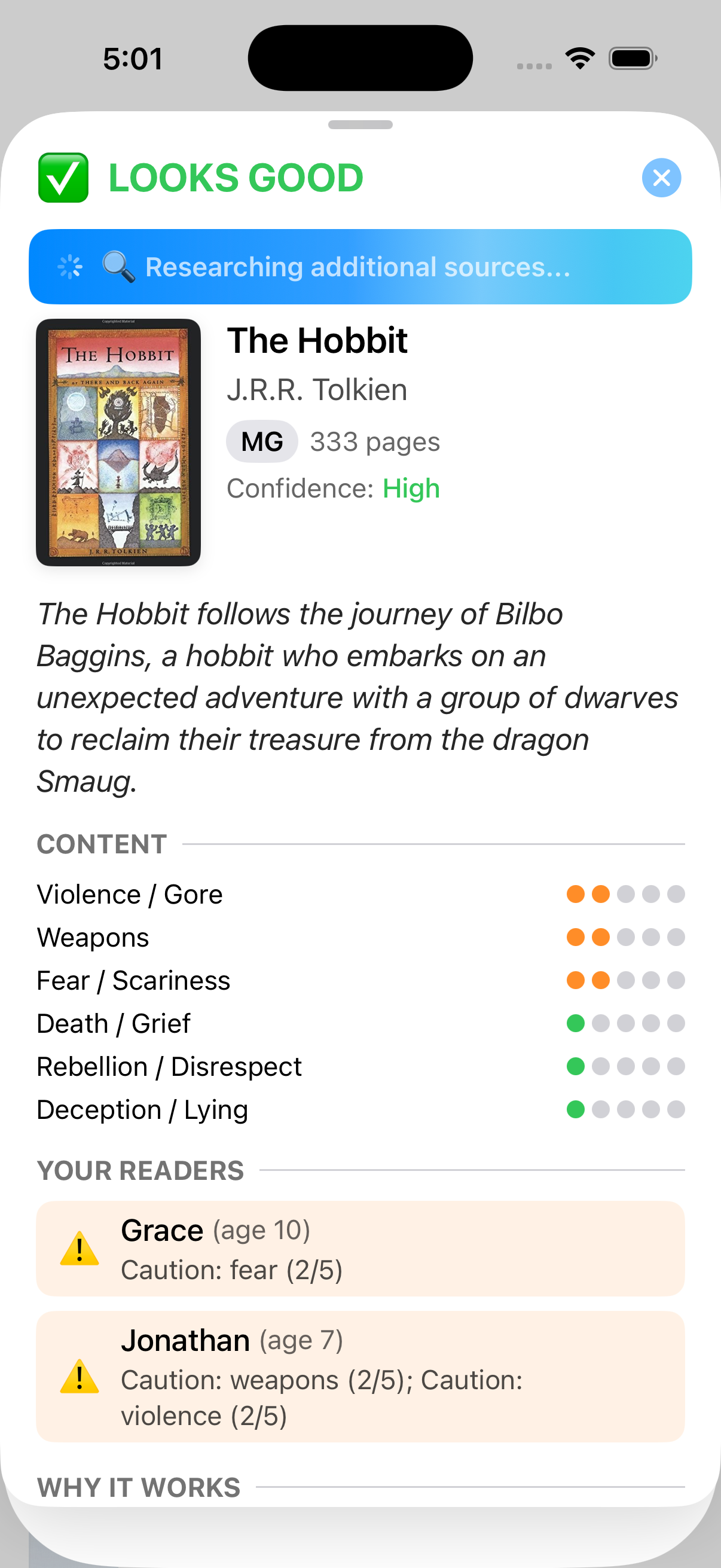
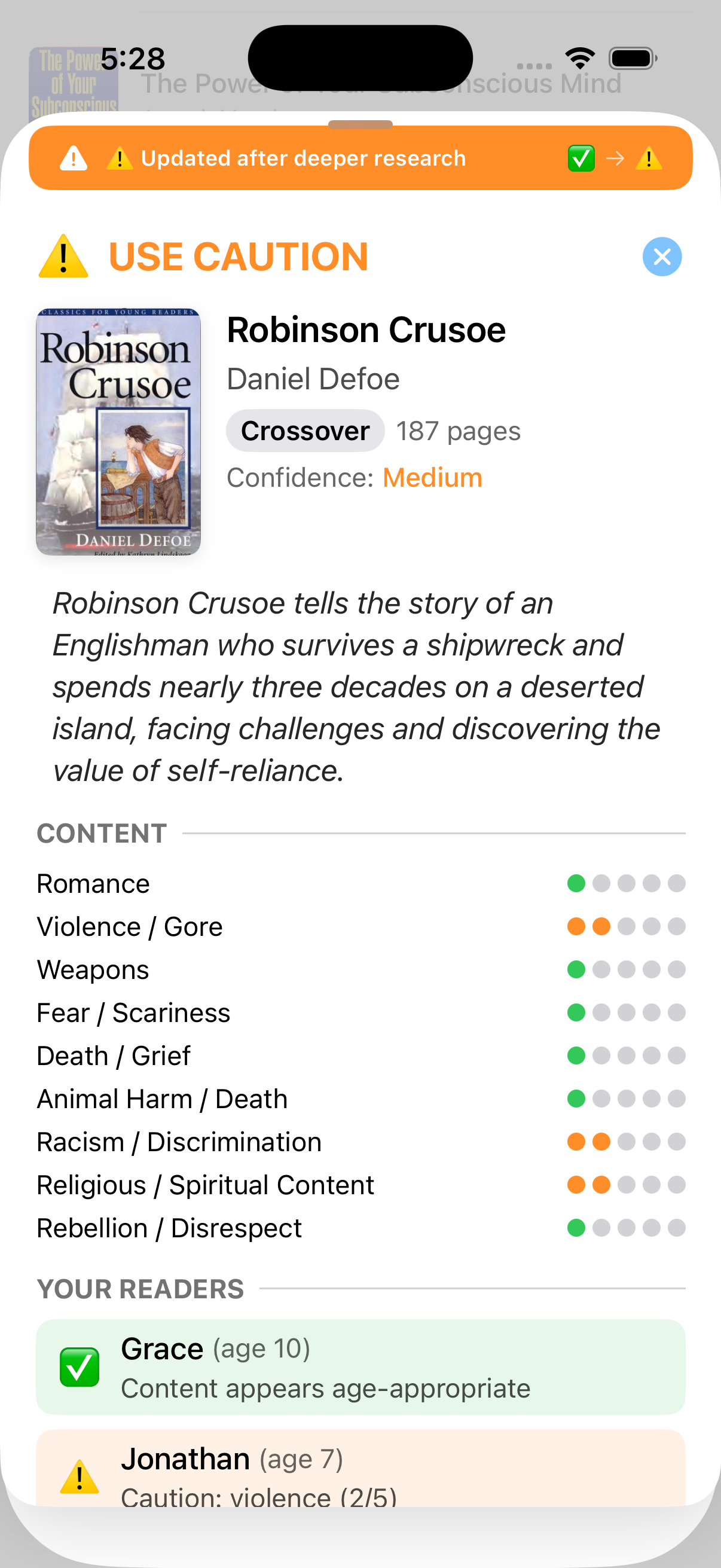
You get a quick verdict in seconds with content rated across 25 categories. Then the app researches additional sources (Common Sense Media, Plugged In, Goodreads, Reddit) and updates the card in real-time if anything changes.
✅ LOOKS GOOD or ⚠️ USE CAUTION: you'll know at a glance. The orange "Updated after deeper research" banner appears when the enriched analysis changes the initial verdict.
Decide Per Reader
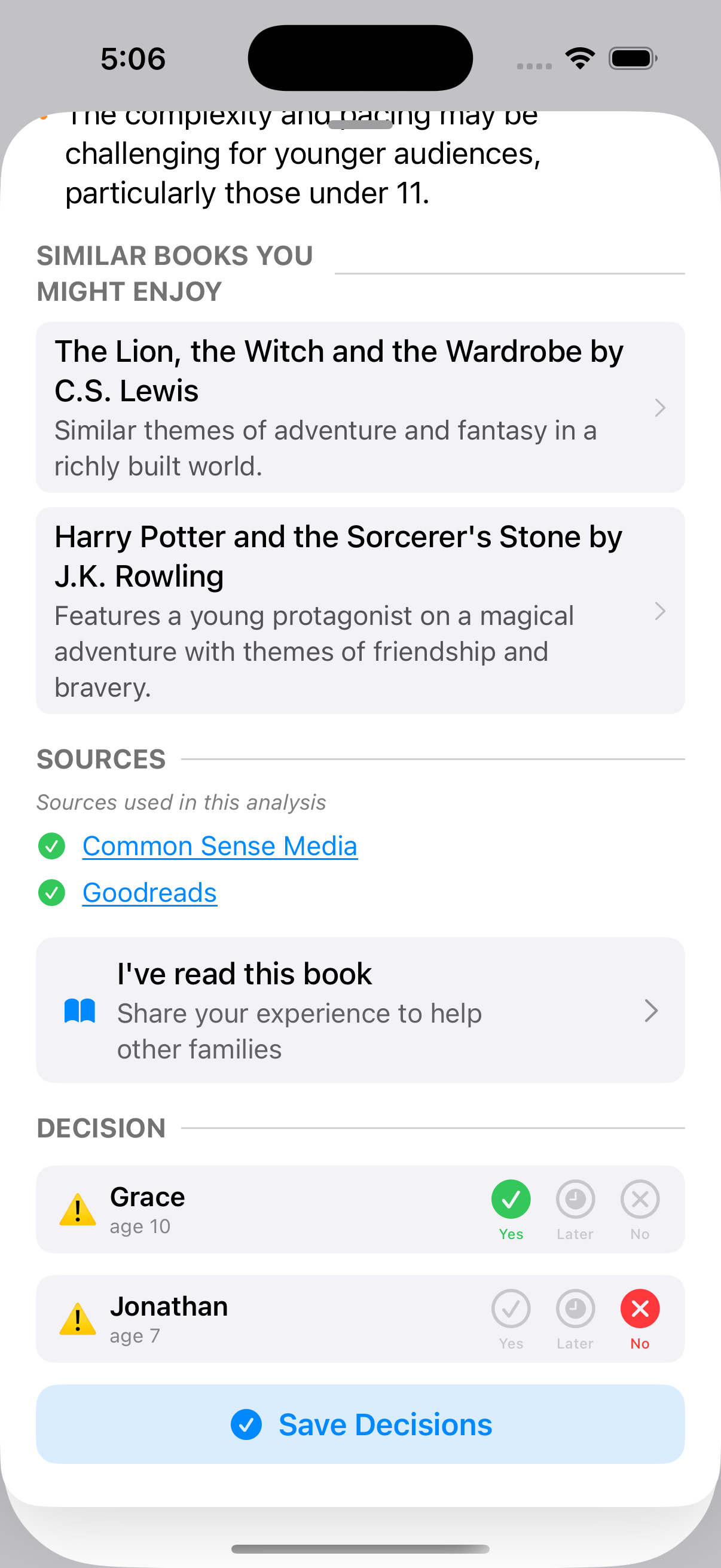
Each reader in your family gets their own verdict. Tap Yes, Later, or No for each child. See which sources were consulted, read similar book suggestions, and contribute your own experience to help other families.
Sources are clickable. Verify the analysis yourself.
25 Content Categories
The most comprehensive book content analysis available. Every book is profiled across these categories on a 0-5 scale.
Built for Families
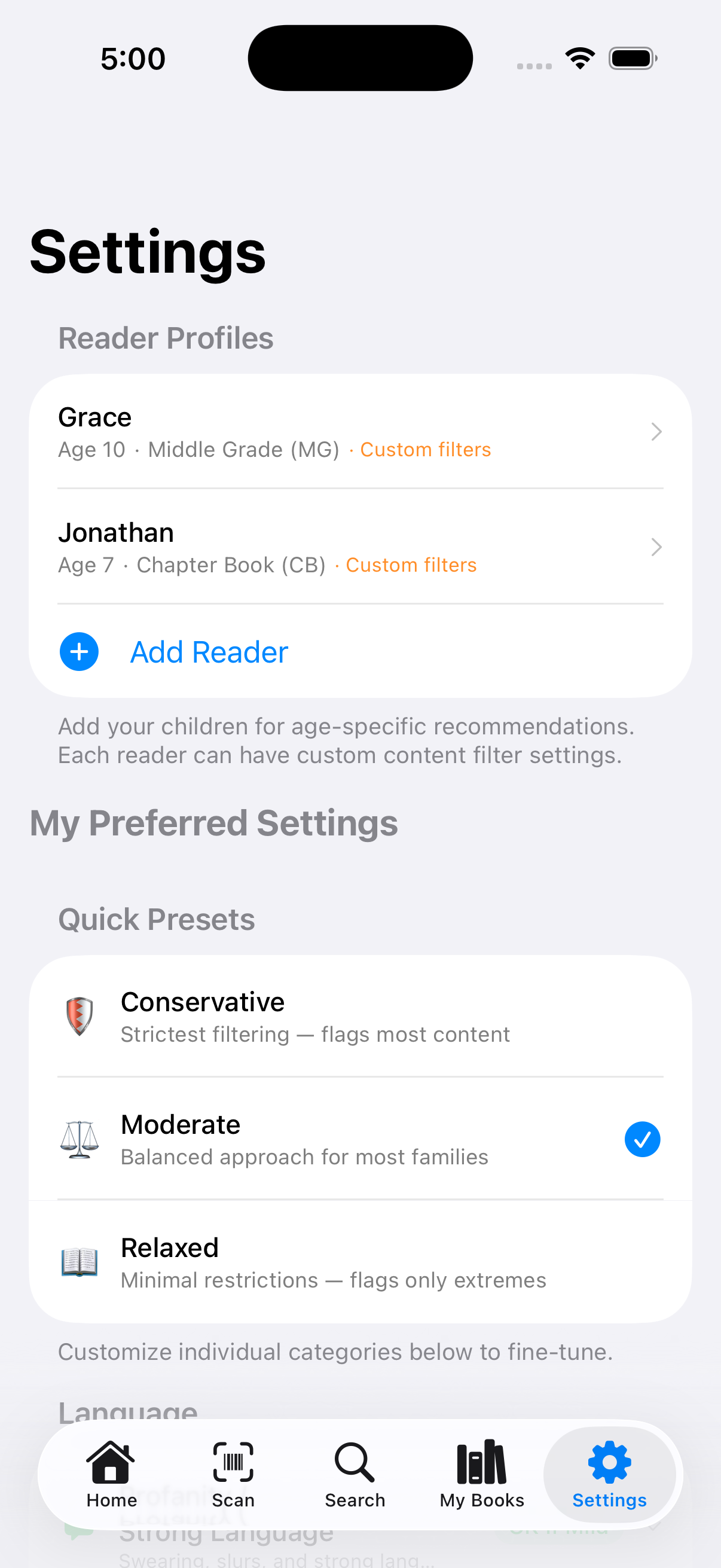
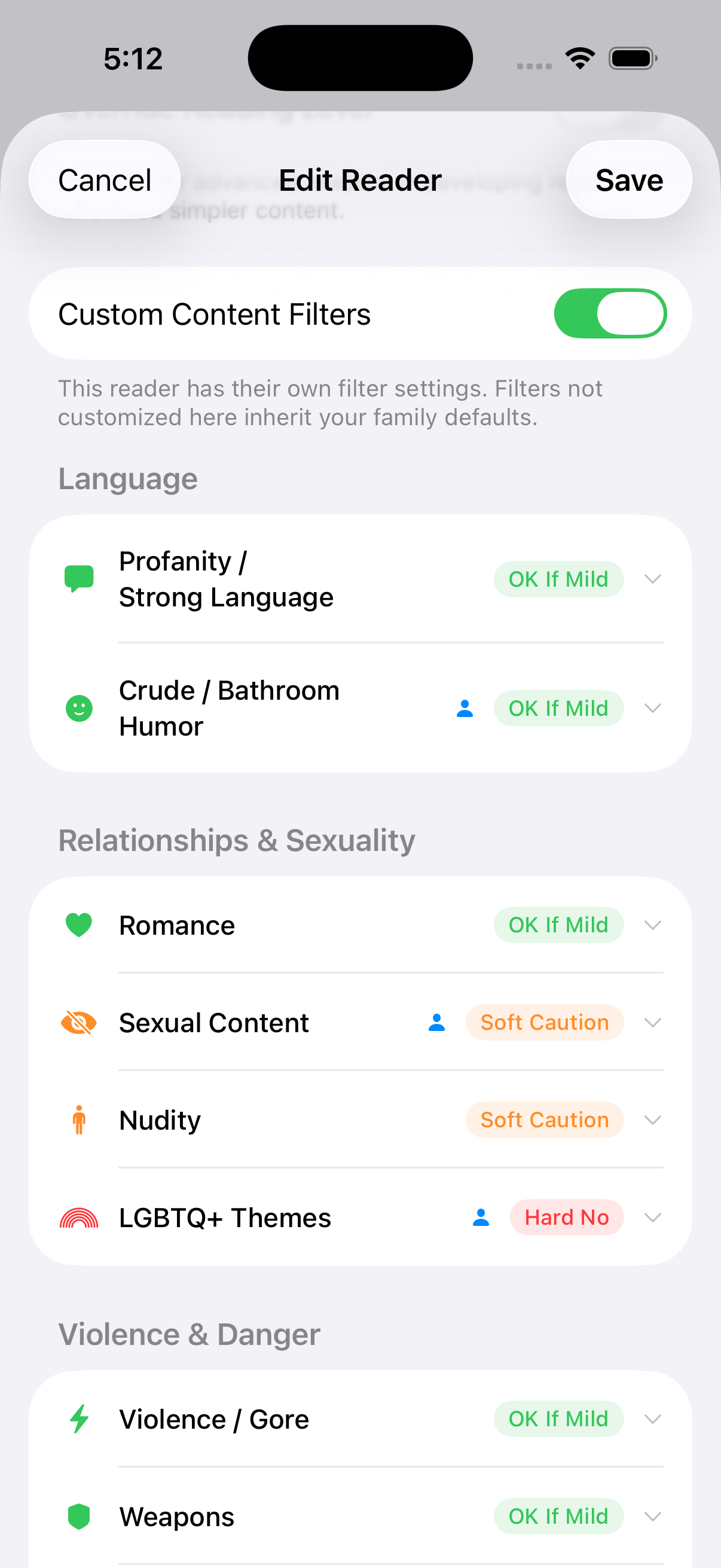
Your Values, Your Rules
Create profiles for each child, pick a preset (Cautious, Moderate, or Relaxed), and fine-tune individual categories. Each reader can have their own custom filter overrides, because what's okay for your 12-year-old might not be okay for your 7-year-old.
Categories range from violence and language to nuanced topics like deception, body image, and consumerism, things harder to find without doing a bunch of googling.
Reader Profiles
Create profiles for each child with their age. Each reader gets their own personalized verdict based on your filter settings for their maturity level.
Custom Filters
Start with presets (Cautious, Moderate, Relaxed) and fine-tune each of the 25 categories to match your family's values. What matters to you might not matter to another family.
My Books + History
Approve, reject, or save books for later. Search your library, sort by recent or alphabetically. History auto-captures every book you view.
Source Attribution
Every analysis shows which sources were consulted: Common Sense Media, Plugged In, Goodreads, Reddit, and more. Tap to read the source yourself.
Progressive Loading
See book details instantly while AI analysis runs. Shimmer loading, smooth transitions, and action buttons that stay pinned at the bottom while you scroll.
Community Verification
Read the book? Let other parents know if the analysis was accurate. Community reports help improve results for everyone.
Series Detection
Automatically detects when a book is part of a series. Shows "Book 3 of 7 in Keeper of the Lost Cities" with a note that content may vary across books.
Claude AI
Powered by Anthropic's Claude 3.5 Sonnet — one of the most capable AI models available. Better nuance, fewer false positives, more accurate content detection.
Quick Start Guide
Get up and running in under two minutes.
Set Up Your Readers
Go to Settings (gear icon, bottom right). Tap Add Reader and enter each child's name and birth date. The app uses their age to calibrate verdicts automatically.
Choose Your Filter Preset
Still in Settings, pick a starting point: Cautious (flags more content), Moderate (balanced), or Relaxed (more permissive). You can customize individual categories later.
Scan Your First Book
Tap the Scan tab (camera icon) and point at any book's barcode. The app identifies the book and starts analyzing. You'll see a quick verdict in 3-5 seconds, with enriched results following shortly after.
Read the Verdict Card
Each card shows the book cover, a traffic-light verdict (✅ Approved, ⚠️ Caution, or ⛔ Not Recommended), flagged content categories, and per-reader recommendations. Tap any category to see details.
Make Your Decision
For each reader, tap Yes, Later, or No. The book saves to your My Books library (book icon tab), organized by status. You can also search by title in the Search tab if you don't have the book in hand.
📱 App Navigation
Join the Beta
📱 Have an iPhone? Help test the beta!
Beta Feedback
You're one of our earliest testers, your feedback shapes what this becomes. Bugs, ideas, confusing UI, missing features: we want to hear it all.