Never Exceed Your
Lease Mileage Again
OnPace Lease tracks your vehicle mileage against your lease allowance, showing you exactly how many miles you have available — right on your home screen.
Everything You Need to Stay on Pace
Simple, focused features designed to give you peace of mind about your lease mileage.
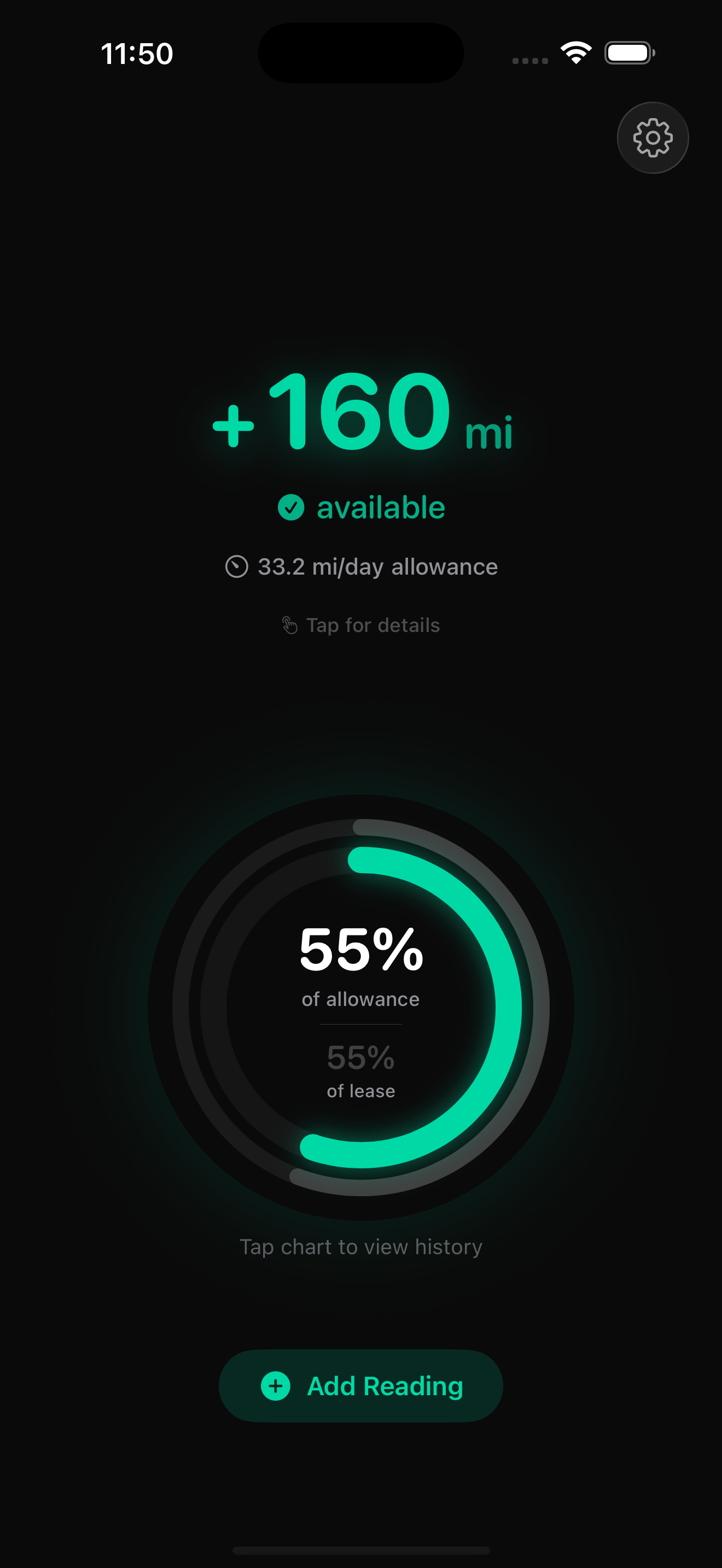
At-a-Glance Status
See exactly how many miles you have available with a single glance. Green means you're ahead, amber means slow down.
Daily Allowance
Know exactly how many miles you can drive each day to stay within your lease. Automatically adjusts as you track.
Visual Progress
Beautiful circular gauge shows your mileage usage vs. lease progress. Stay perfectly on pace or build a buffer.
Smart Entry
Add readings in seconds with the custom numpad. After each entry, on-device AI provides personalized context like "Great week — you're building a buffer!"
AI-Powered History
Track your pace with charts and AI-generated monthly insights. On-device AI detects driving patterns like "Consistent weekday driving" or "Heavy travel month."
Home Screen Widgets
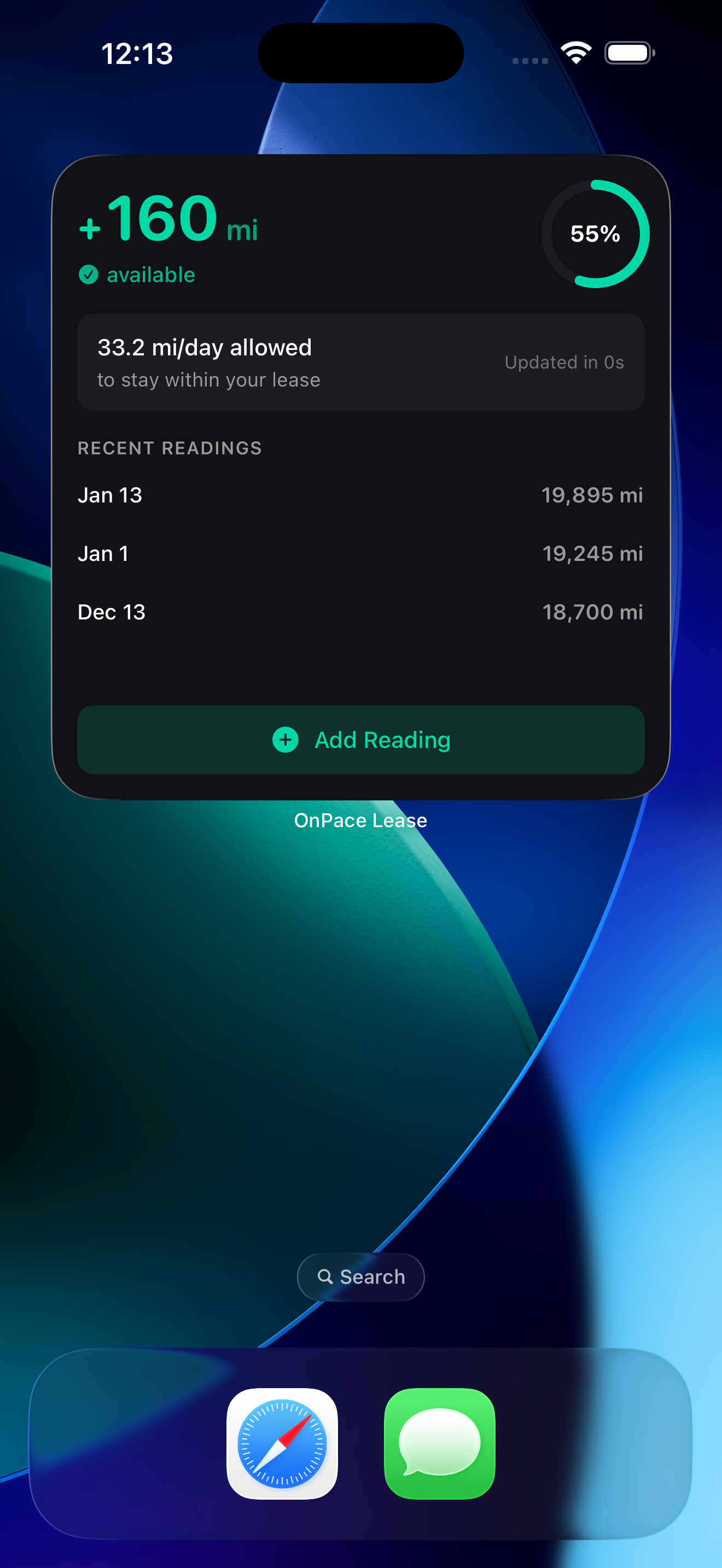
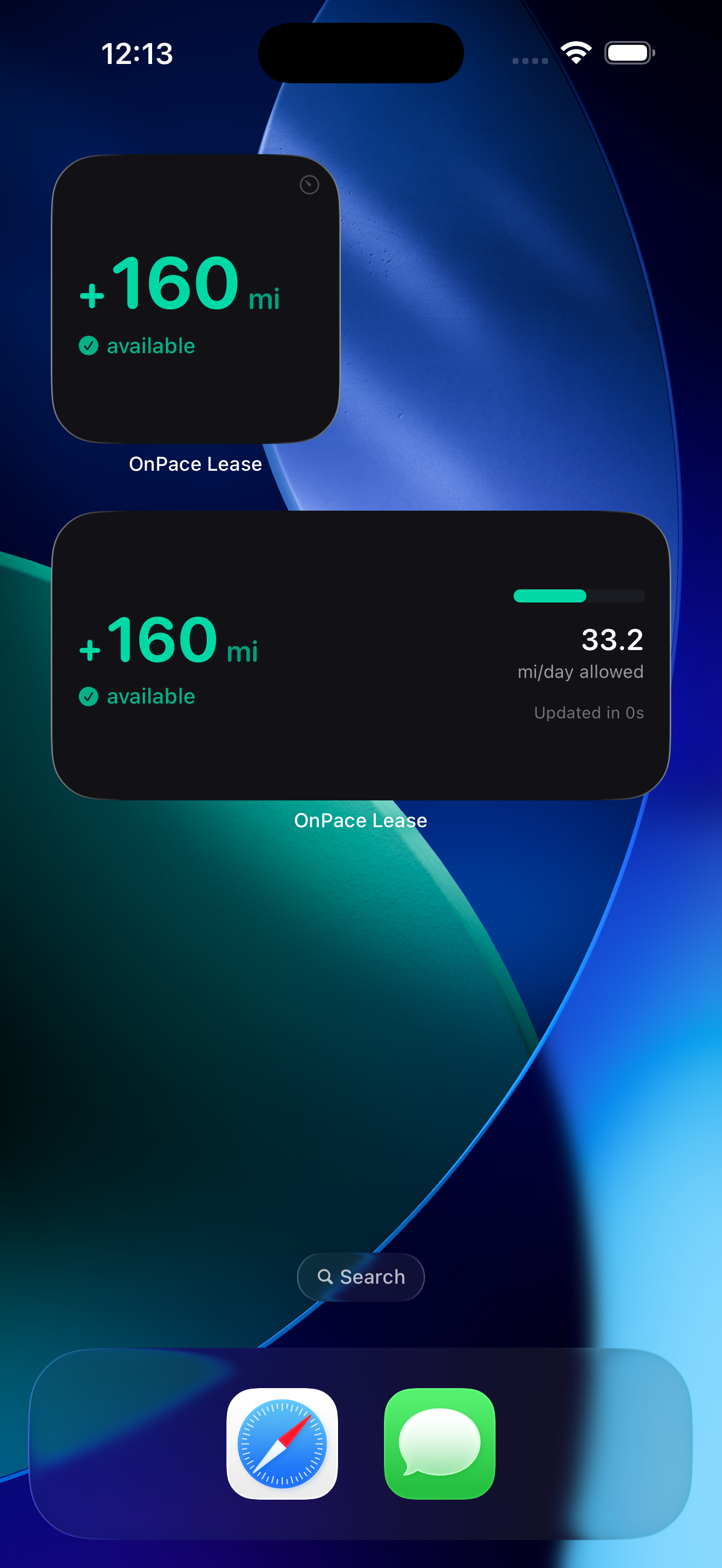
Check your status without opening the app. Small, medium, and large widgets for your home screen.
Designed for Clarity
A clean, dark interface that makes your mileage status instantly clear.
Dashboard
Your pace at a glance
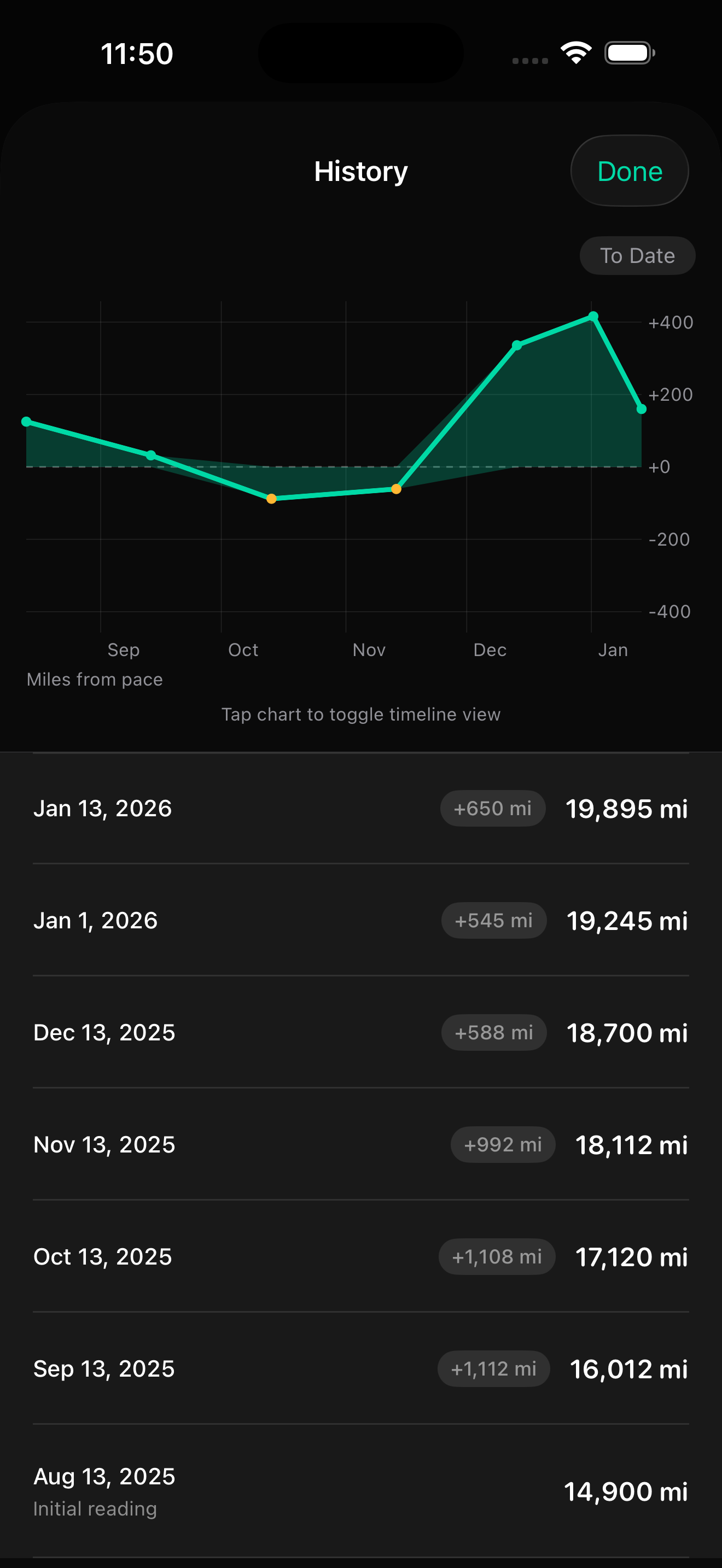
History
Track your progress
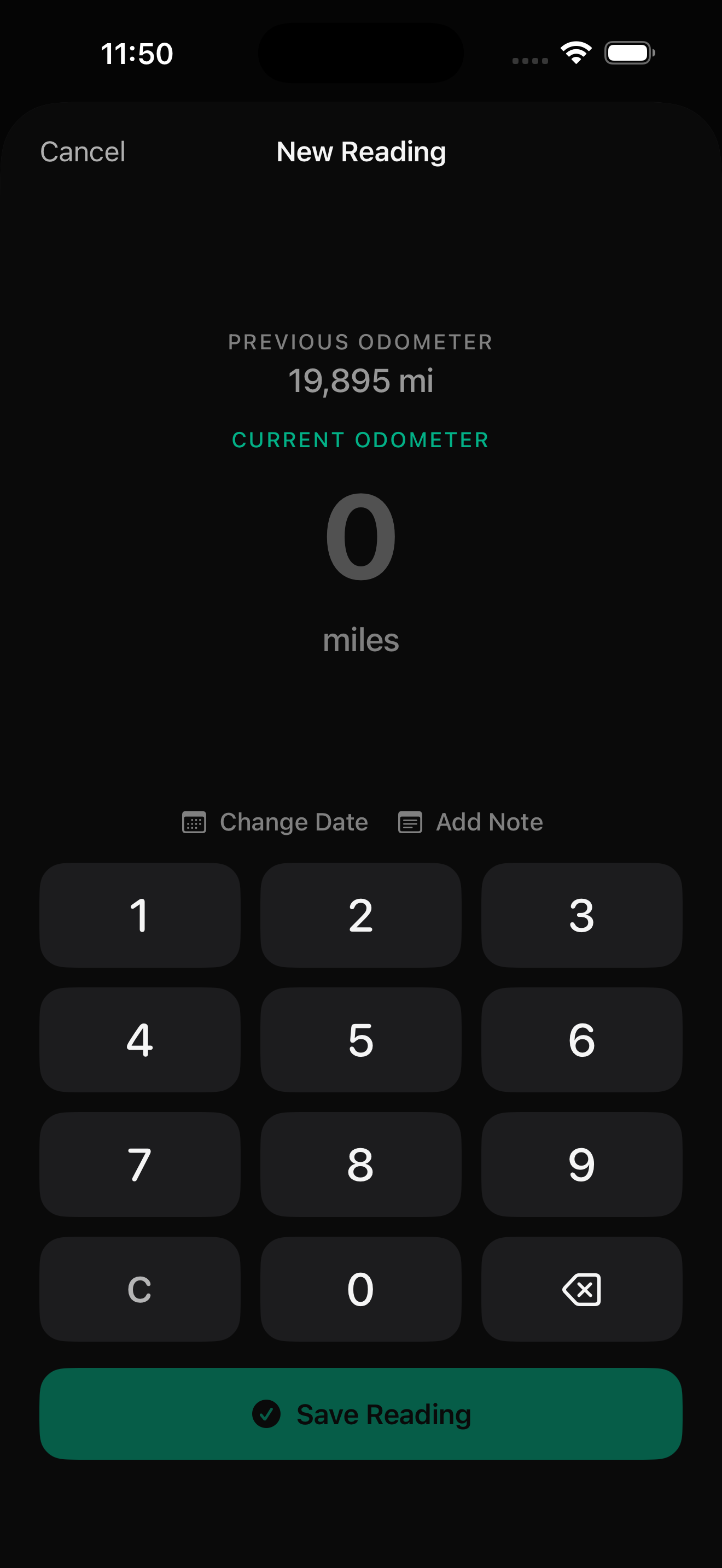
Quick Entry
Add readings fast
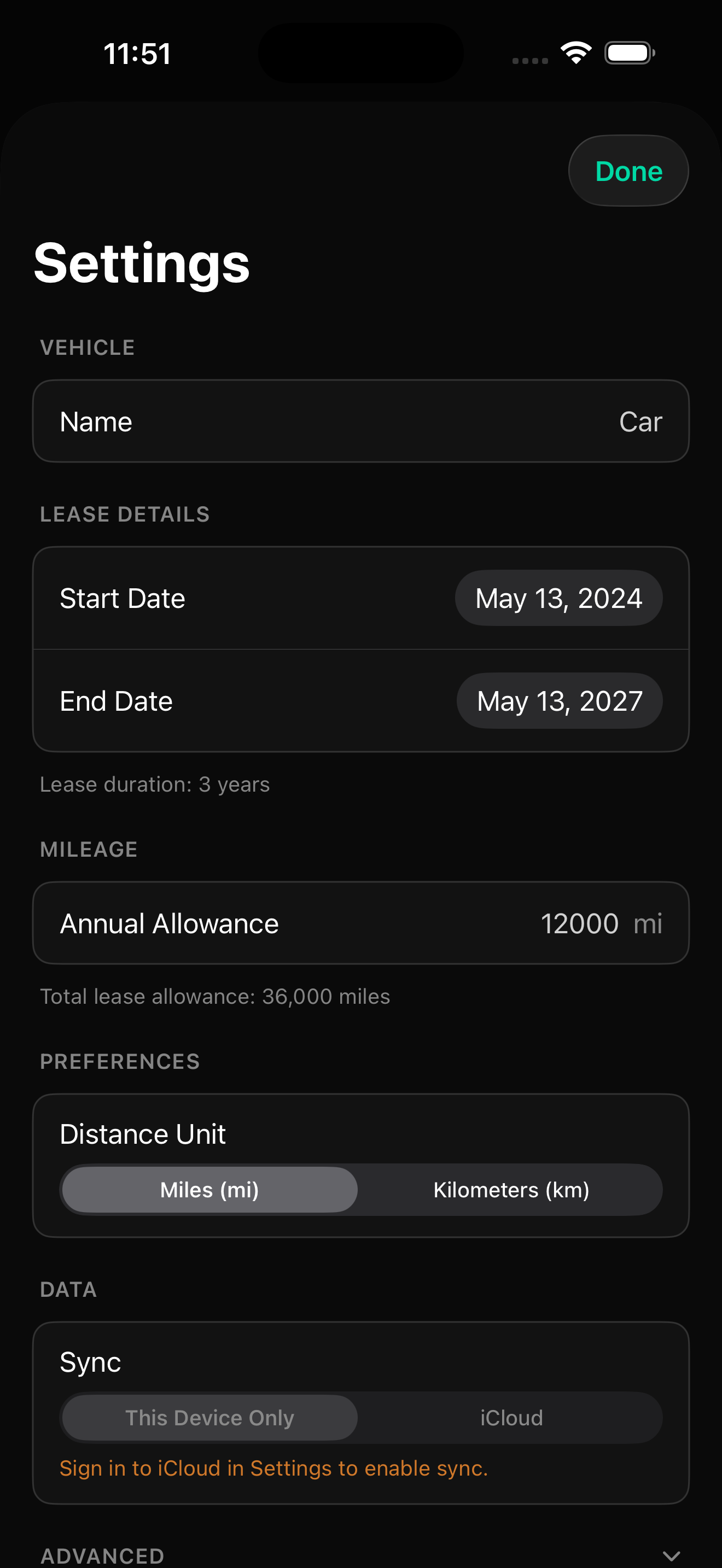
Settings
Configure your lease
Smart Insights, Completely Private
OnPace Lease uses Apple's on-device AI to provide personalized insights about your driving patterns. Your data never leaves your device.
Dashboard Insights
AI-generated observations about your pace, trends, and projections appear right on your dashboard.
Smart Feedback
After each odometer entry, get personalized context like "You're 3 days ahead of pace" or "Light driving week."
Monthly Patterns
History view groups readings by month with AI summaries like "Consistent weekday driving" or "Heavy travel month."
On-device AI requires iOS 26 or later on supported devices. Core tracking works on iOS 17+.
Check Your Status
Without Opening the App
Beautiful home screen widgets keep your mileage status visible at all times. Choose from small, medium, or large sizes to fit your home screen.
- See available miles instantly
- Daily allowance at a glance
- Recent readings in the large widget
- Add readings directly from the widget
How It Works
Get started in under a minute. Just enter your lease details and current odometer.
Enter Your Lease Details
Add your lease start/end dates, annual mileage allowance, and overage rate. The app calculates your total allowance and daily budget automatically.
Log Your Odometer
Enter your current odometer reading and how many miles you've driven since the lease started. The app instantly shows your status.
Track Your Progress
Add readings whenever you fill up or want to check in. Widgets keep you informed without even opening the app.
Stop Guessing, Start Tracking
OnPace Lease is available now on the App Store. A simple, one-time purchase to help you stay within your lease allowance.
Requires iOS 17 or later. iPhone and iPad. AI features require iOS 26+.